Download a job biodata in Word format
Press a button to save the .docx file. It opens in Microsoft Word, Google Docs, WPS Office or Word on a phone. All three are free.
What a job biodata is
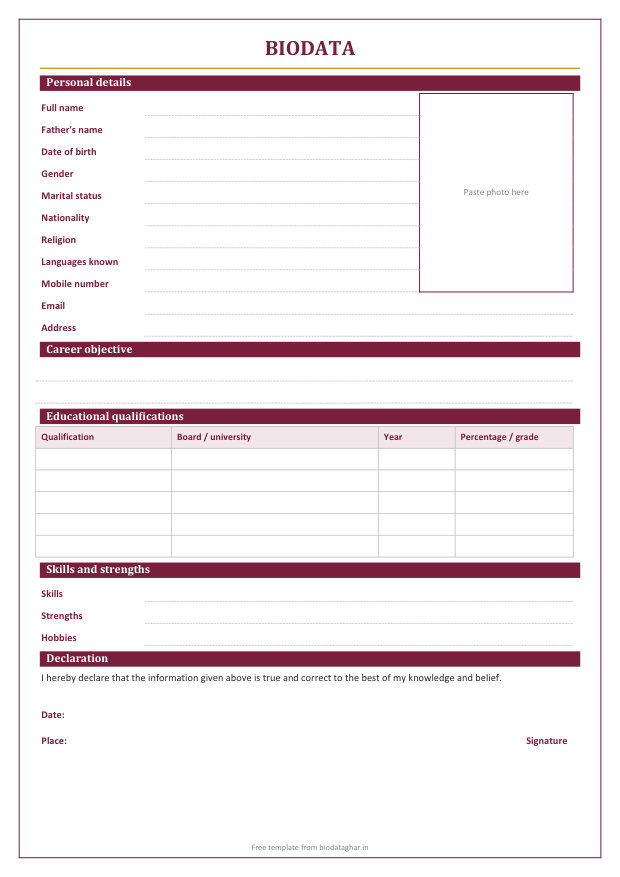
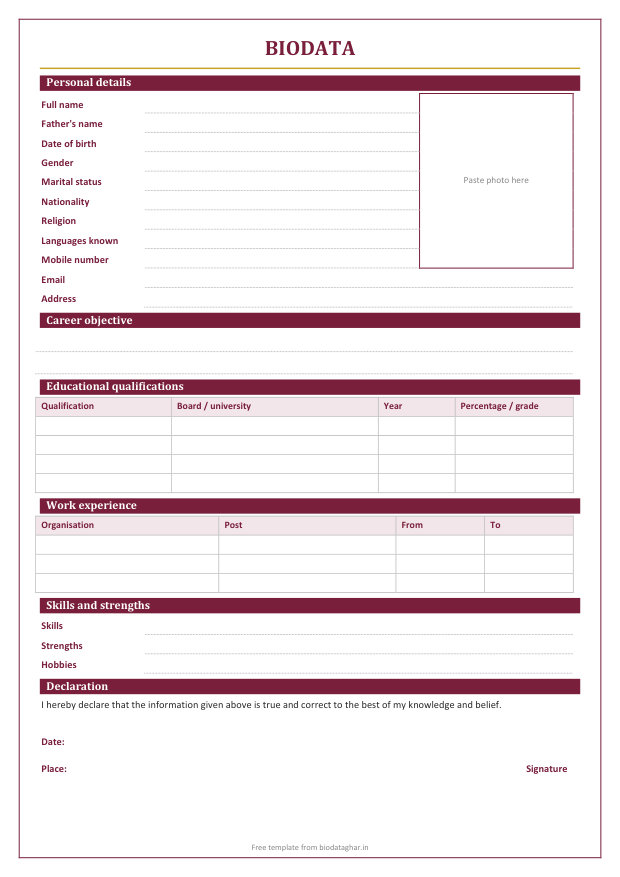
A biodata for a job is a short, one-page record of who you are: personal details, education, any work experience, skills and a signed declaration. In India it is asked for in many private and government jobs, especially for freshers, office staff, teachers, drivers, security staff and factory work, where a long resume is not needed.
- Biodata: personal details first (father's name, date of birth, address), then education and experience. One page.
- Resume: skills and achievements first, little personal detail. One or two pages, used mostly for private-company jobs.
- CV: a longer, complete record of education, research and work, used for academic and senior posts.
What to write in each part
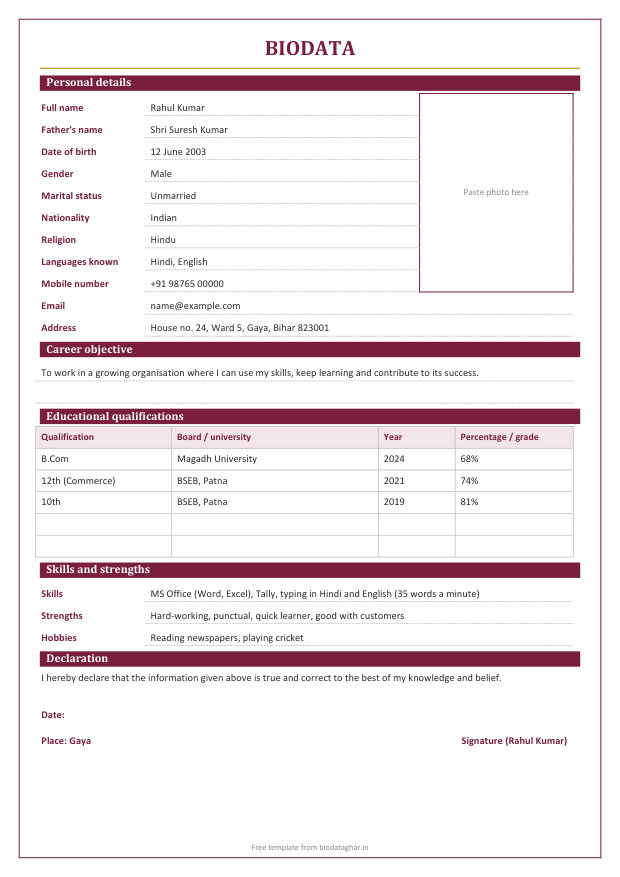
- Personal details: full name as on your certificates, father's name, date of birth, gender, marital status, nationality, religion, languages known and a mobile number that is answered. Add your email and full address with PIN code.
- Career objective: one or two lines about the work you want, for example "To work as an accounts assistant where I can use my Tally and Excel skills and grow with the company."
- Educational qualifications: the highest first: degree, 12th, 10th, with the board or university, the year and your percentage or grade. Add a diploma, ITI or computer course in its own row.
- Work experience: the organisation, your post and the months you worked there, newest first. Freshers can list an internship or training here, or use the fresher template.
- Skills and strengths: computer skills (MS Office, Tally, typing speed), a driving licence, languages, and two or three strengths such as punctual or good with customers.
- Declaration: "I hereby declare that the information given above is true and correct to the best of my knowledge and belief." Then the date, the place and your signature.
Tips
- Photo: a recent passport-size photo with a plain background. Paste it in the box, or stick a printed one there.
- Keep it to one page, and print on plain white A4 paper.
- Sign in ink after printing, and write the date and place by hand if you hand it in.
- Check spellings of your name and your father's name against your certificates.
- Save it as PDF (File > Save as > PDF) before sending it by email or WhatsApp, so the layout does not change.
Questions
What is the simple biodata format for a job?
Personal details with a photo, education in a table, experience if any, skills, and a declaration with date, place and signature, all on one page. The fresher template above follows exactly this order.
Which format should a fresher use?
The fresher template. It has no work experience table, and gives more room to education, skills and strengths. Look at the filled-in sample to see how it reads when complete.
Is a biodata accepted for government jobs?
Many government and semi-government offices ask for a biodata with a photo and declaration, often along with the application form. Always follow the format in the job notice if it gives one.
Are these templates free?
Yes. Download and use them as often as you like, with no sign-up. The small line at the foot of the page can be deleted.
Making a marriage biodata instead?
Use the free marriage biodata maker, which makes a designed biodata to send on WhatsApp, or download a marriage biodata in Word format.